
Creator Photoshoot
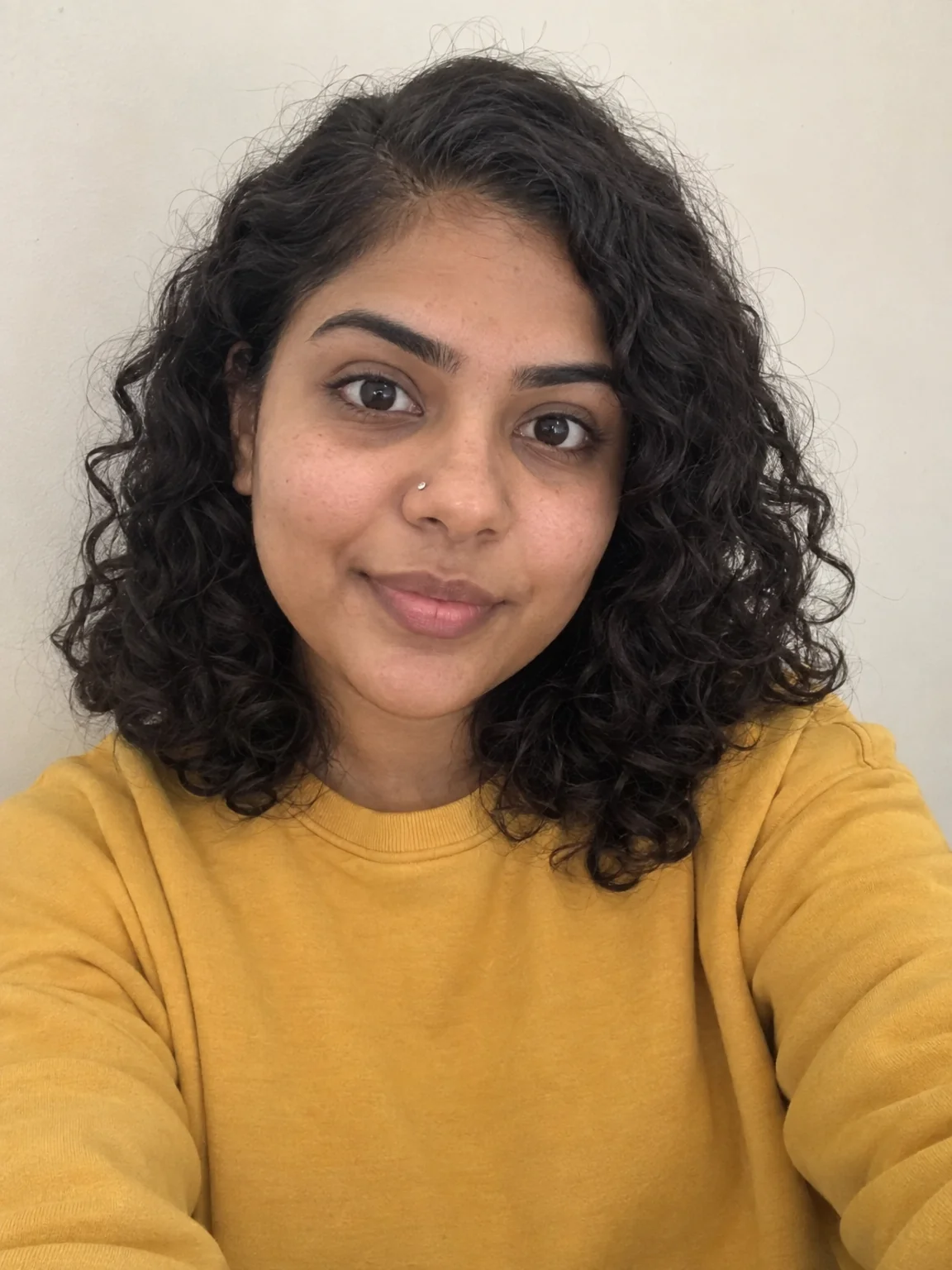
A full set of new photos of you from a few phone selfies
4 free credits on signup — no card, no watermark.
- 1Upload 1–4 clear photos of yourself
- 2Pick a look, add a setting and outfit, choose a ratio
- 3Generate, then rerun favorites at Pro


Standard
4 credits
Pro
12 credits
Max
44 credits
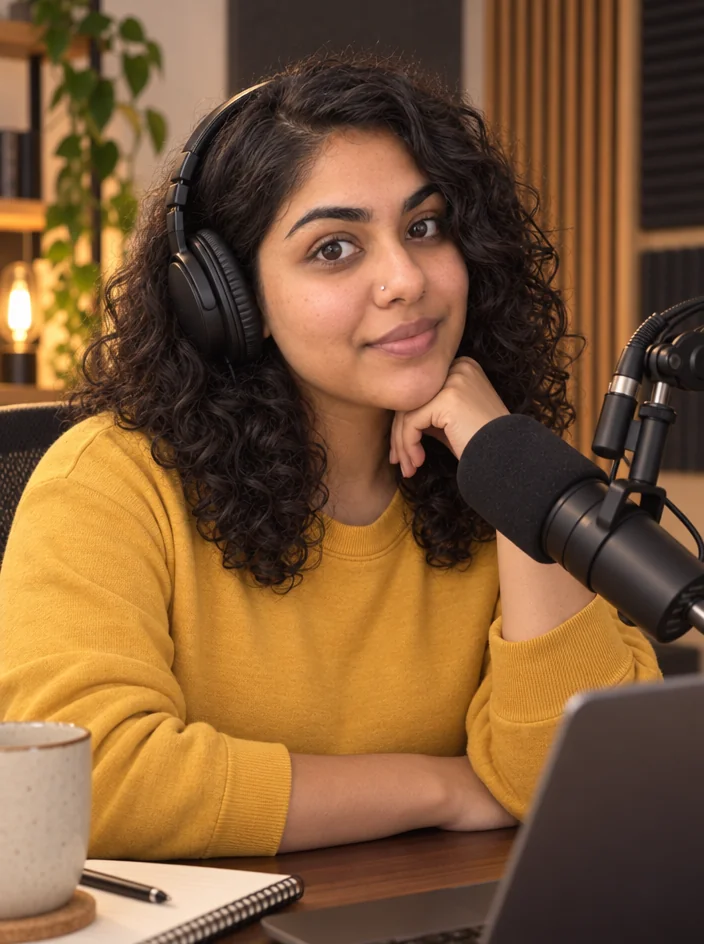
Press kits, about pages, sponsor decks and channel banners all need photos of you that look like you booked a photographer. Creator Photoshoot makes them from selfies. Upload one to four clear photos of yourself and the tool generates new images where you are the same person, with your face, your features and your expression, placed in a new setting, wearing a new outfit, lit like a real production. No studio rental, no friend holding the phone. Run it once for a headshot, again for a travel look, again for a holiday card, and you have a library of you for every kind of post, pitch and profile.
Start by picking a look from twenty: LinkedIn headshot, studio portrait, dating profile, editorial fashion, travel, fitness, graduation, maternity, holiday card, vintage film, black and white, cinematic, golden hour, corporate team, festival, wedding guest, birthday, streetwear, cozy home and business casual. Then type a Setting like a rooftop bar at dusk and an Outfit like a navy linen suit, or leave them blank and let the look decide. Aspect ratio runs from 3:4 by default through 1:1, 4:5, 2:3, 9:16, 4:3, 3:2 and 16:9. What stays fixed is you: face shape, skin, eyes, hair, the way you hold your head. What changes is everything around you.
Upload three or four photos with different angles and lighting for the strongest likeness; one works but more helps. A single-photo run costs 4 credits at Standard, 12 at Pro, 44 at Max, and each extra photo adds 2. Iterate at Standard across a few looks, then rerun the winners at Pro for the version that goes in the deck. Chain into Reframe if you need the same image in another ratio, Upscale for print, Edit With Words to swap a color, and Photo to Video to turn a still into a short intro. Creator Headshots is the tighter tool when you only need the professional crop.
What you control
- Photos of you (1–4)
- Shoot typeLinkedIn HeadshotStudio PortraitDating ProfileEditorial FashionTravelFitnessGraduationMaternity+12
- Setting
- Outfit
- Aspect ratioPortrait 3:4Square 1:1Portrait 4:5Portrait 2:3Story 9:16Landscape 4:3Landscape 3:2Wide 16:9
- 3:4 output
Every tool comes with
- The right ratio for the platform, already set
- Standard, Pro and Max tiers per run
- Edit with words, reframe, upscale or animate the result
- Everything saved to your creations rail
Questions
How many selfies should I upload?
One is enough to start, but three or four from different angles and in different light give a much stronger likeness. Mix a straight-on shot with a slight turn and one smiling.
Will it change my face or body?
It keeps your face, skin tone, eye color, hair and build. The setting, outfit, lighting and pose are what get generated. If a result drifts, add another clear selfie and run again.
What should I type in Setting and Outfit?
Short and concrete. A place plus a time works for Setting, like a diner at midnight. A garment plus a color works for Outfit, like a green bomber jacket. Leave either blank to let the look choose.
Can I get the same photo in a different ratio?
Pick the ratio before you run, since each render is a fresh image. To keep an exact result and just change its shape, send it to Reframe, which extends or crops it without regenerating you.
Can I try Creator Photoshoot without paying?
Yes — every new account starts with 4 free credits, enough for a Standard run of most tools. Plans start at $15 for 1,000 credits a month and packs at $4.99 for 250.

 In
InHeadshot for Creators
Studio-quality headshots for LinkedIn, the channel and the press page

 In
InAI Influencer Photos
New photos of your AI influencer in any scene — same face every time
 In
InCreator Brand Photos
Creator brand photos from 1–4 selfies: studio, podcast desk, gym, kitchen, stage

 In
InReframe for Platform
16:9 to 9:16 to 1:1 to 3:1 — the subject stays, the scene extends or crops