
End Screen Maker
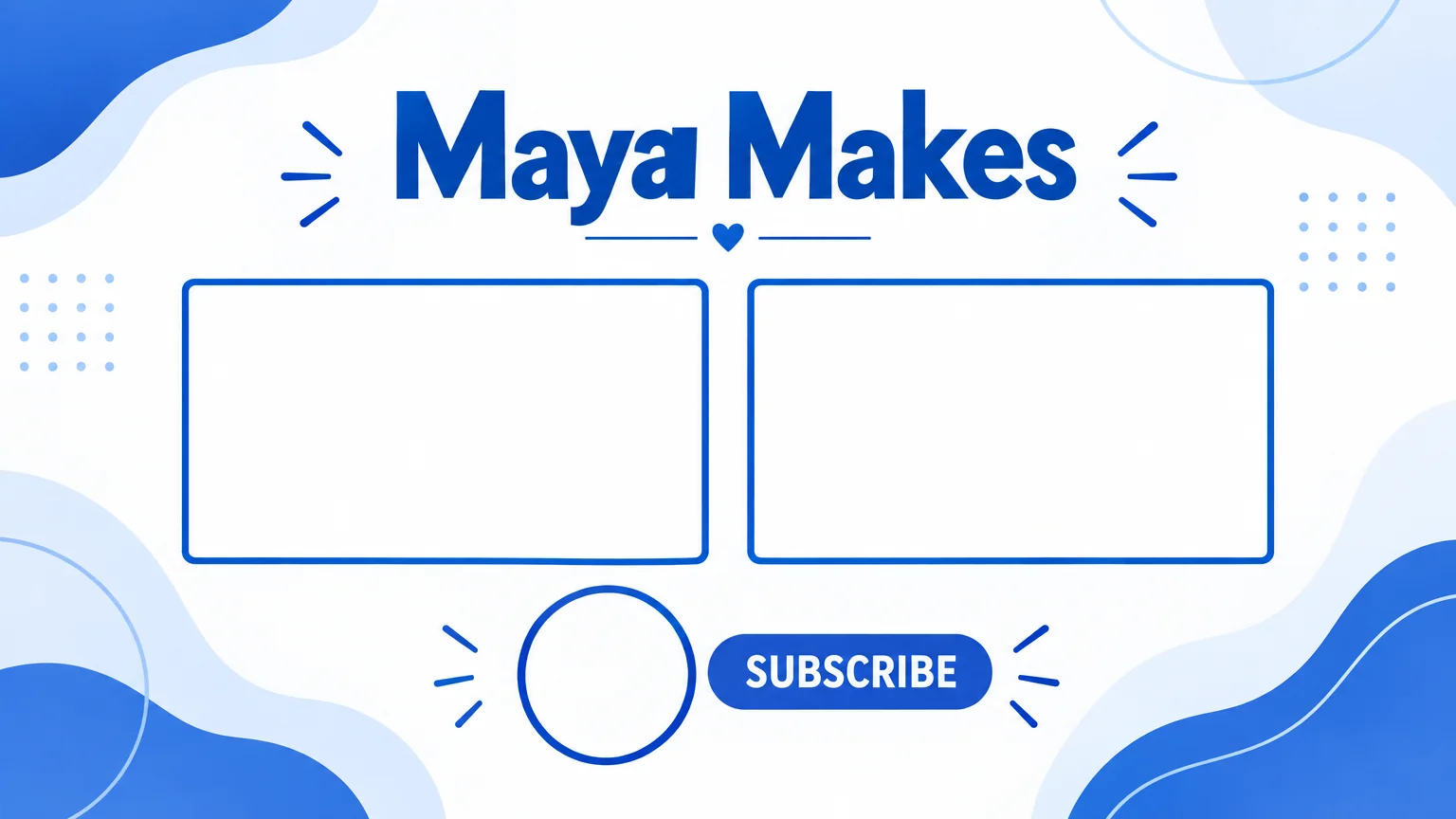
16:9 end screen backgrounds with two video slots and a subscribe spot
4 free credits on signup — no card, no watermark.
- 1Type your channel name exactly as it should appear
- 2Describe the theme — colors, mood, texture
- 3Run, download the 16:9 PNG, and drop your end-screen elements over the placeholders in YouTube Studio
Standard
2 credits
Pro
10 credits
Max
42 credits
YouTube end screens are where the next view comes from, and most channels either skip them or paste cards over the last frame of the video. End Screen Maker produces the background layer properly: a 16:9 design with two clearly outlined, empty 16:9 boxes side by side for video elements, a round empty placeholder for the subscribe button with the word SUBSCRIBE beside it, and your channel name rendered large. Everything sits in the central safe area so the elements you add in YouTube Studio line up.
The theme field drives the look. 'Clean white with cobalt blue accents' gives a minimal card; 'dark purple with neon green' gives a gaming feel; 'warm paper texture, earthy tones' suits a cooking or lifestyle channel. The tool keeps the placeholders blank and the background pattern subtle so the actual video thumbnails you drop in stay legible. One render, and every video from now on ends the same way.
In practice you make one end screen per channel and reuse it, so it is worth rendering at Pro or Max for crisp outlines. Export it, add the last 20 seconds of each video as a still or a slow zoom (Animate works well here), then place your video and subscribe elements over the placeholders in the YouTube editor. If you rebrand, change the theme text and re-run — two credits at Standard.
What you control
- Channel name
- Theme / vibe
- 16:9 output
Every tool comes with
- The right ratio for the platform, already set
- Standard, Pro and Max tiers per run
- Edit with words, reframe, upscale or animate the result
- Everything saved to your creations rail
Questions
Does it place the actual videos?
No — it draws the empty, outlined boxes where they go. You add the video and subscribe elements in YouTube Studio; the boxes just make sure your layout is designed, not improvised.
Can I use it as a video, not a still?
Yes. Send the render to Animate for a gentle 10–12 second push-in and use that as the final segment, with the elements layered on top in your editor.
What if my channel name is long?
The field allows 60 characters. Shorter reads bigger; if your name is long, consider the short form you use in your handle.
How should the theme match my thumbnails?
Reuse the palette words you used for your banner or thumbnails — 'lemon and black', 'navy and gold' — so the end screen feels like the rest of the channel.
Can I try End Screen Maker without paying?
Yes — every new account starts with 4 free credits, enough for a Standard run of most tools. Plans start at $15 for 1,000 credits a month and packs at $4.99 for 250.

 In
InYouTube Thumbnail Maker
Click-worthy 16:9 thumbnails with your face and your title, spelled right

 In
InChannel Banner Maker
Channel banners at the right ratio for YouTube, Twitch, X, LinkedIn and Discord
Channel Logo Maker
Transparent channel logos: mascot, wordmark, lettermark, emblem, icon, esports
Twitch Panel Maker
3:1 Twitch panel banners — About, Schedule, Rules, Donate — as a matching set