
Expression Swap
Same frame, new face: turn a flat grab into a laugh, a shock or a stare.
4 free credits on signup — no card, no watermark.
- 1Upload a selfie or frame grab with your face clearly visible
- 2Pick the expression you need for the cover
- 3Generate, try two more, keep the strongest


Standard
4 credits
Pro
12 credits
Max
44 credits
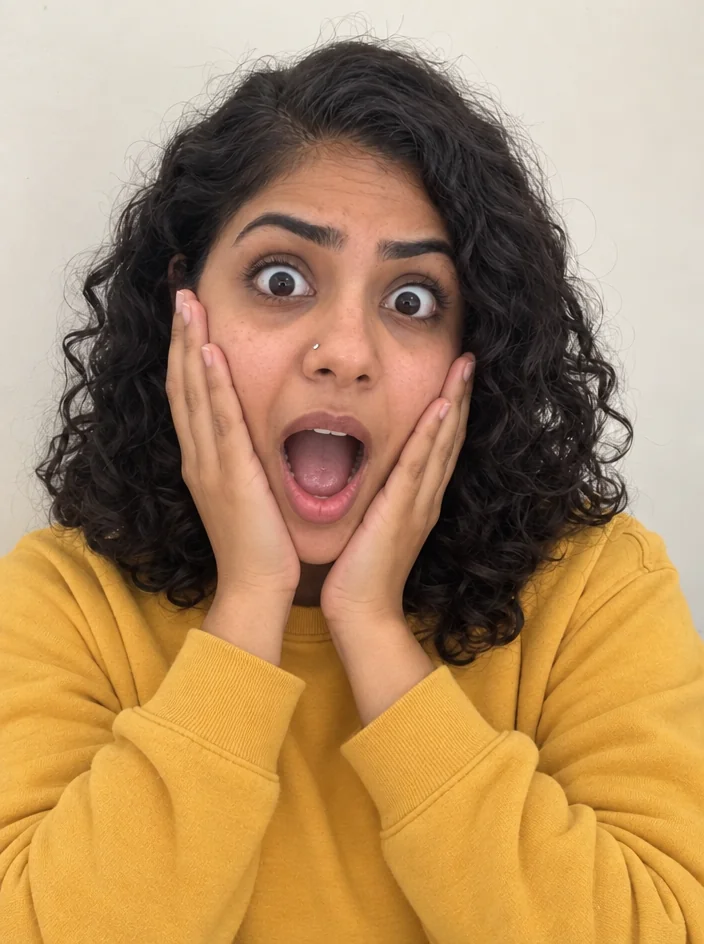
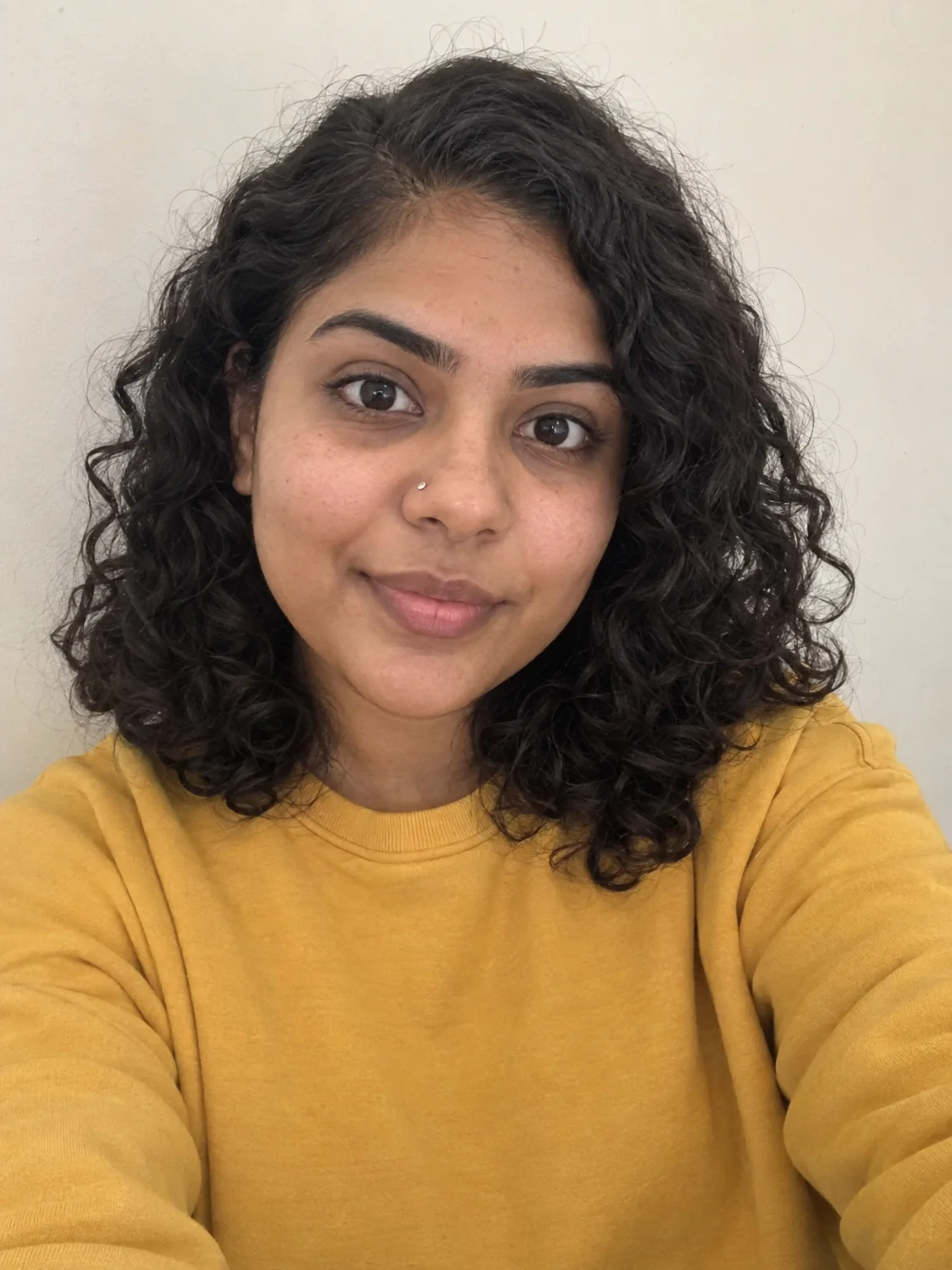
The clip is great but the frame you grabbed for the cover has you mid-blink with a half smile that reads as bored. Refilming is not happening. Swap Your Expression takes any selfie, frame grab or b-roll still and changes just the expression: the mouth, the eyes, the brows, the little muscles around them. You get the same photo with a face that finally matches the title. A shocked look for the reaction thumbnail. A big laugh for the podcast clip. A calm, confident stare for the pinned post. Same hair, same lighting, same hoodie, same background, so it still cuts against the video it came from and nobody can tell it was ever different.
Choose one of eight expressions from the menu: gentle smile, big smile, laughing, serious, confident, surprised, thoughtful or playful. The tool reshapes only the parts of the face that carry that emotion and keeps your bone structure, skin, hairline and head angle exactly as they were. Glasses stay on. Beards stay put. The lighting on the face is matched to the new shape so cheeks and teeth do not look pasted in. It works best on a face that is at least a quarter of the frame and mostly toward camera. A profile view or a face the size of a thumbnail on the far side of a group shot will give you less to work with.
Make a habit of pulling three or four expressions from the same grab at Standard, 4 credits each, then pick the one that pops next to the title text. Surprised and laughing tend to win in the feed. Serious and confident hold up better on a channel banner or an about page. Once you have a keeper, run it again at Pro for the final and send it to Thumbnail Maker to add the text, or Reframe to get a 9:16 version for the Short. If your eyes were closed in the original, run Fix Closed Eyes first so the expression tool has real eyes to work from.
What you control
- Photo with your face
- ExpressionGentle SmileBig SmileLaughingSeriousConfidentSurprisedThoughtfulPlayful
Every tool comes with
- The right ratio for the platform, already set
- Standard, Pro and Max tiers per run
- Edit with words, reframe, upscale or animate the result
- Everything saved to your creations rail
Questions
Can I run several expressions from one upload?
Yes, and you should. Keep the photo in place, change the expression select and generate again; each Standard run is 4 credits. Every result lands in your creations rail so you can compare them side by side.
Does it keep my glasses, beard and hair the same?
It does. Only the muscles that carry the expression move: mouth, cheeks, eyes and brows. Glasses, facial hair, hairline, skin texture and the angle of your head are preserved, along with the background and lighting.
Why does the result look too smooth on a tiny face?
When the face is a small part of the frame there is not much detail to rebuild from, so the new expression comes back soft. Crop closer before uploading, or pull a frame where you are nearer the camera.
How do I get a version for both the thumbnail and the Short?
Make the expression once, then send the result to Reframe for 16:9 and 9:16. Both versions keep the new face. Add title text on top with Thumbnail Maker or Reel Cover.
Can I try Expression Swap without paying?
Yes — every new account starts with 4 free credits, enough for a Standard run of most tools. Plans start at $15 for 1,000 credits a month and packs at $4.99 for 250.
 In
InReaction Face Generator
Neutral selfie in, shocked / mind-blown / pointing thumbnail face out

 In
InYouTube Thumbnail Maker
Click-worthy 16:9 thumbnails with your face and your title, spelled right

 In
InSmile Touch-Up
Turn a tight, crooked or closed-mouth smile into a natural one in one click.

 In
InFix Closed Eyes
Blinked in the group shot? Get natural open eyes, no second take needed.