
Background Blur
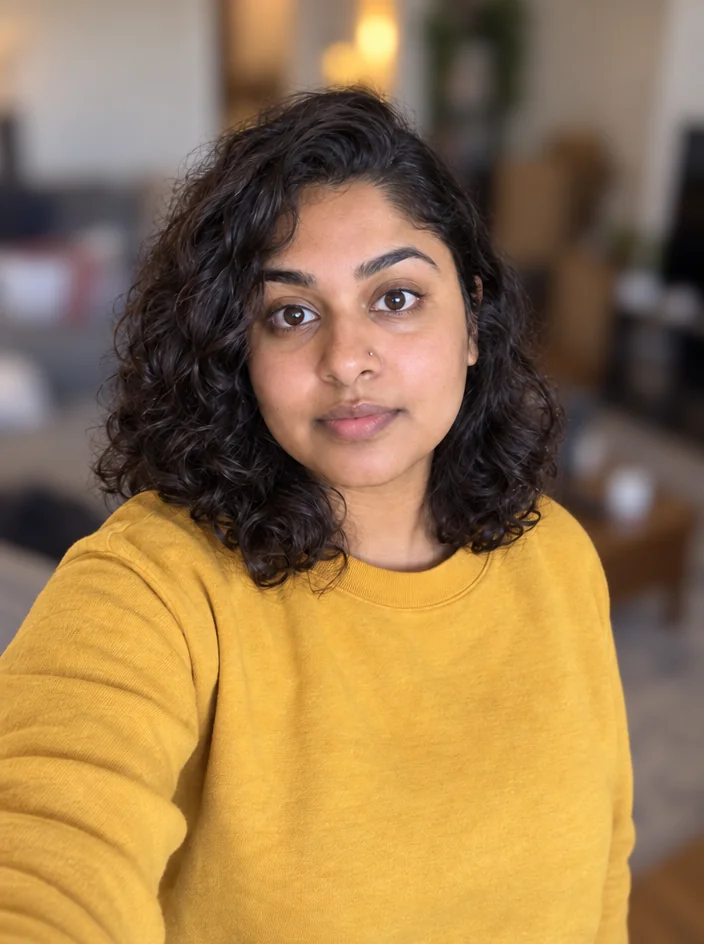
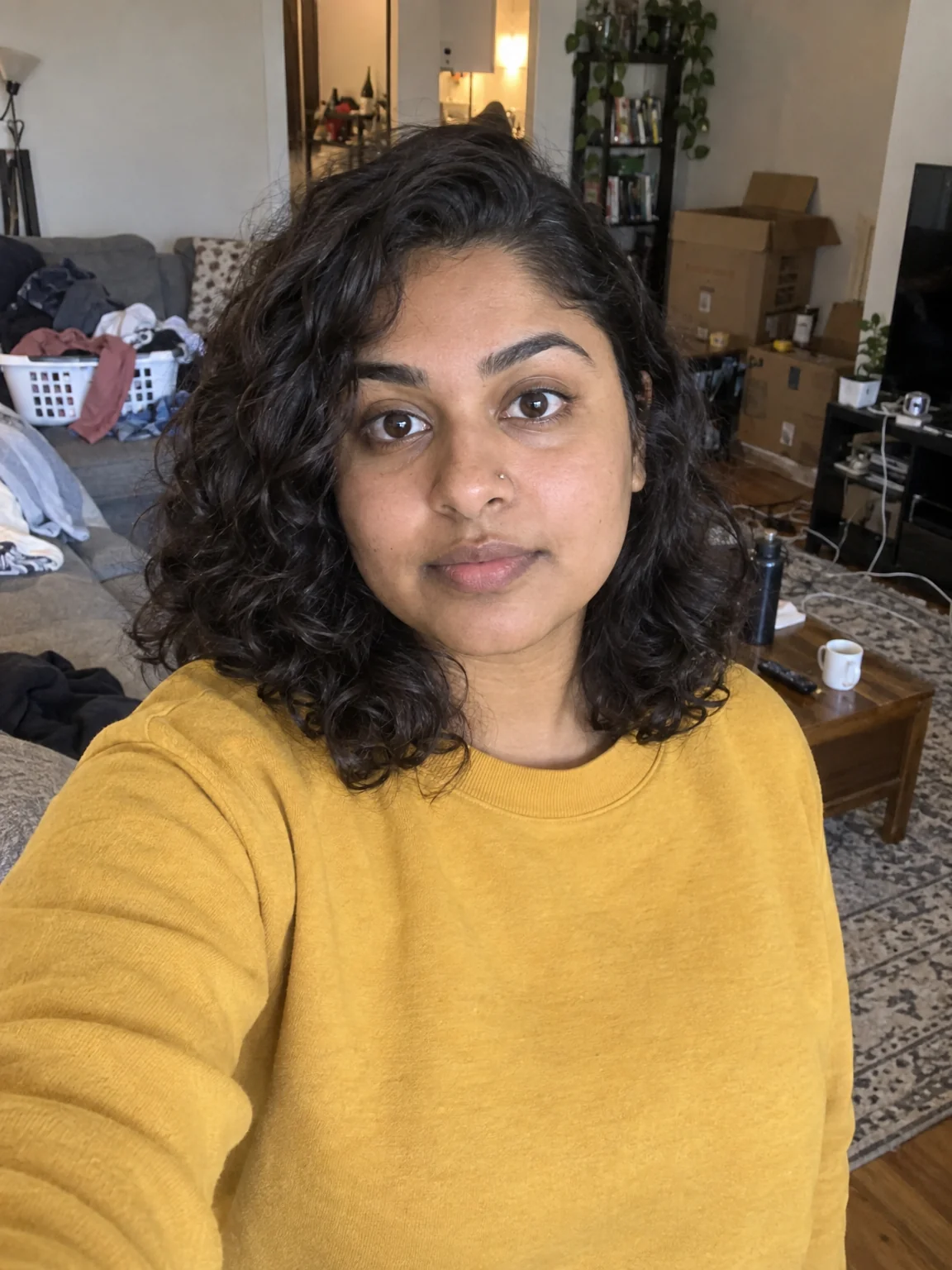
Portrait-mode depth for any photo — sharp subject, fully blurred room
4 free credits on signup — no card, no watermark.
- 1Upload the photo
- 2Run — there is nothing to configure
- 3Compare with Original, then download or chain into PFP or Reframe
Standard
4 credits
Pro
12 credits
Max
44 credits
A blurred background is the difference between a snapshot and a portrait, and it is the look every PFP, about-page photo and sponsor headshot leans on. Background Blur applies it after the fact: the foreground subject stays sharp and clear while the background is blurred hard, the way a wide-aperture lens would render it. There are no sliders — upload, run, done — and the photo keeps its aspect ratio so it drops back into whatever layout it came from.
It is built for the photos creators actually have: a phone selfie in a cluttered room, a webcam grab from a stream, a co-host photo in a busy cafe. Because the subject is separated by the model rather than a hard edge mask, hair and glasses edges stay natural. The strong blur means brand names and clutter behind you become soft shapes, which is often all a photo needs before it goes on a channel page.
Blur is a good intermediate step. Blur first, then send the result to Profile Picture Maker for a Clean professional PFP with a background that no longer fights the face; or blur, then Reframe to 3:1 for a LinkedIn banner where the soft background leaves room for text. If you want the room replaced rather than softened, use Background Changer; if you want it gone, Background Remover. A run is 4 credits at Standard.
What you control
- Your photo
Every tool comes with
- The right ratio for the platform, already set
- Standard, Pro and Max tiers per run
- Edit with words, reframe, upscale or animate the result
- Everything saved to your creations rail
Questions
Can I choose how strong the blur is?
No — it is a single, strong portrait-style blur. For a lighter touch, send the result to Edit With Words and ask for 'a slightly less blurred background'.
Does it blur things I'm holding?
Objects in the foreground plane with you, like a mic or a controller, stay sharp. Things behind you blur.
Will it work on a webcam screenshot?
Yes. Lower-resolution sources still separate cleanly; run Upscale afterwards if you need a bigger file.
How does it compare to Background Changer?
Blur keeps your real room, softened. Background Changer replaces it with a scene you describe.
Can I try Background Blur without paying?
Yes — every new account starts with 4 free credits, enough for a Standard run of most tools. Plans start at $15 for 1,000 credits a month and packs at $4.99 for 250.

 In
InBackground Changer
Green-screen swap without the green screen — describe the new background

 In
InBackground Remover
Transparent PNG cutouts for overlays, stickers and thumbnail layers

 In
InProfile Picture Maker
A 1:1 PFP from your selfie — clean pro, anime, 3D, neon gamer, pixel, Y2K

 In
InFace Retouch
Natural retouch: blemishes gone, texture kept, eyes sharp, flyaways tamed